
Annotations
VarLens provides several annotation tools to document your variant analysis findings.
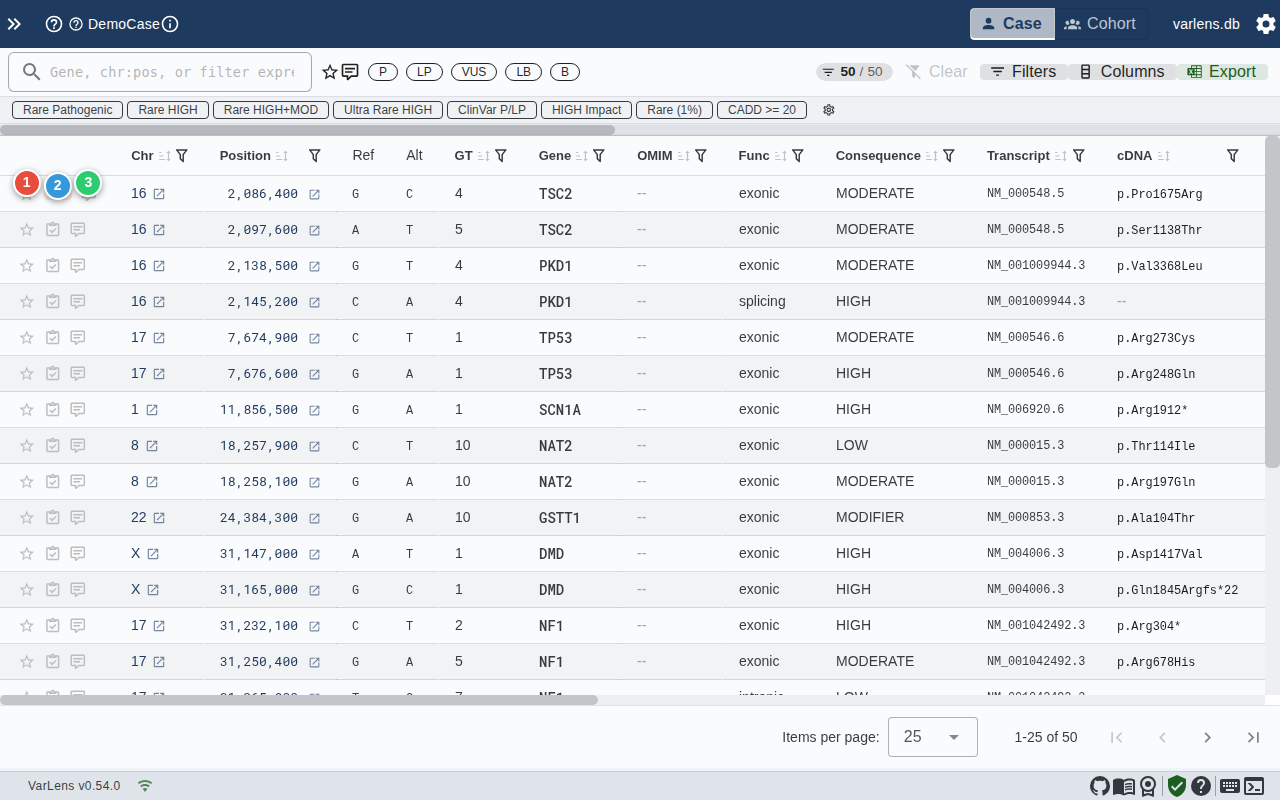
Stars
Click the star icon in the annotations column to mark important variants. Starred variants can be filtered using the "Starred only" toggle in the filter toolbar.
Stars exist at two levels:
- Per-case stars — Specific to the current case
- Global stars — Apply to the variant across all cases (indicated by a ring)
ACMG Classification
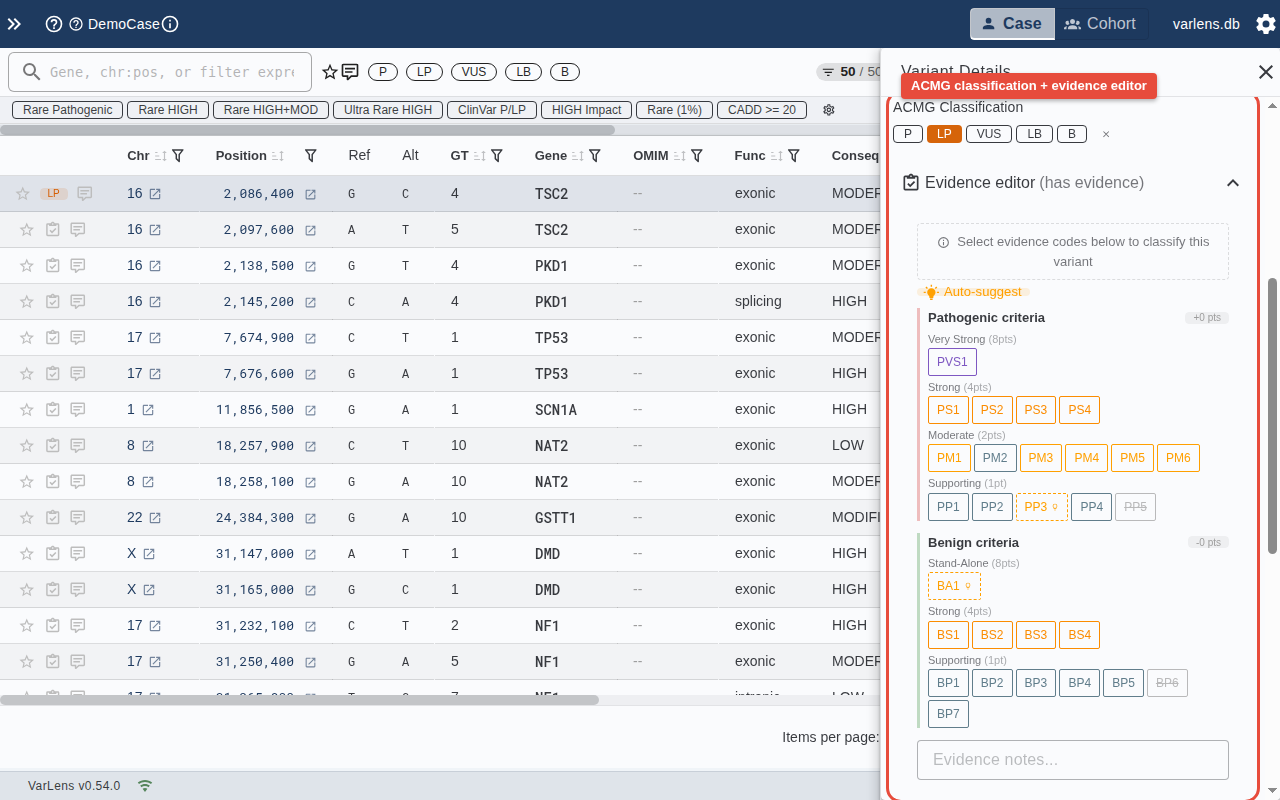
Classify variants using the ACMG/AMP framework:
- Quick classify — Click P, LP, VUS, LB, or B chips for a fast classification
- Evidence editor — Open the detailed editor to select specific ACMG evidence codes (PVS1, PS1-PS4, PM1-PM6, PP1-PP5, BA1, BS1-BS4, BP1-BP7) and add notes
Classifications are scored using the Bayesian point-based system and can exist at both per-case and global levels.
Auto-Suggest
The evidence editor can auto-suggest applicable criteria based on:
- gnomAD allele frequency (BA1, BS1, PM2)
- CADD score (PP3, BP4)
- ClinVar significance
Comments
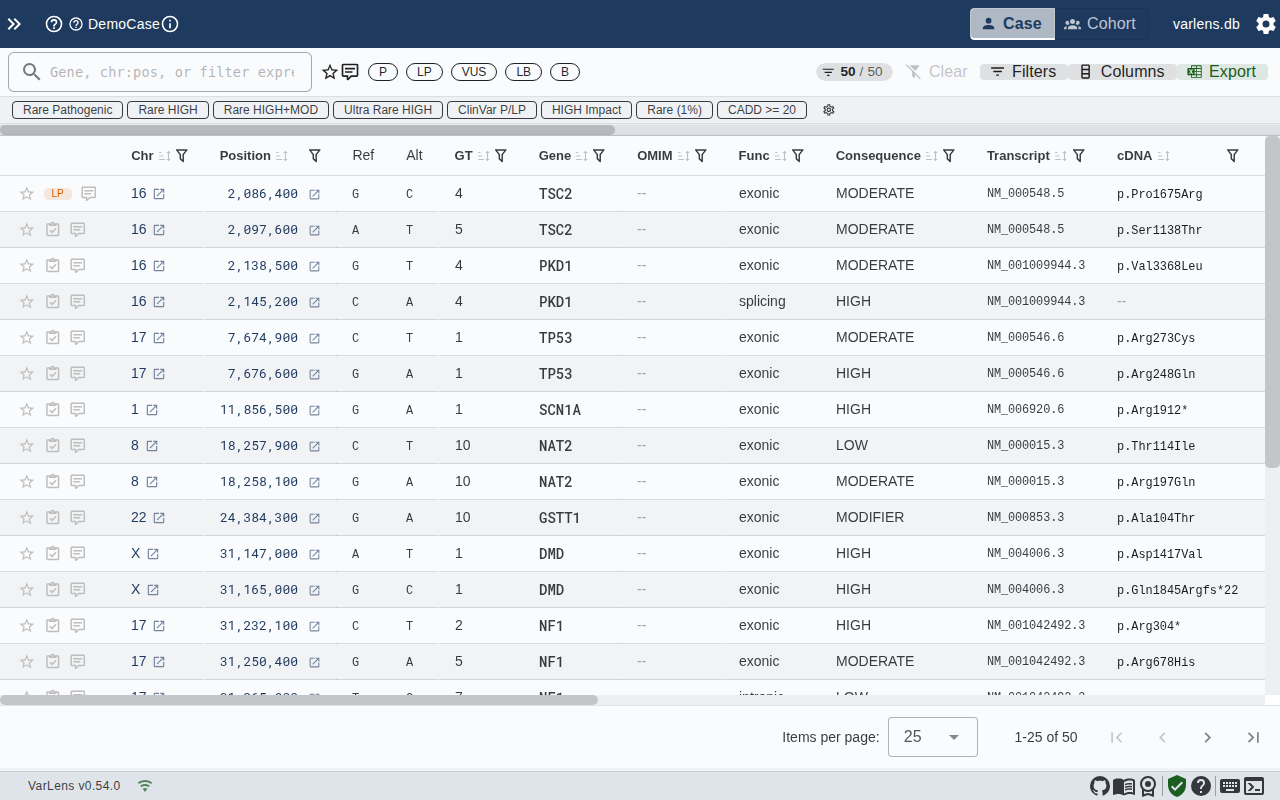
Add free-text comments to document your reasoning:
- Global comments — Visible across all cases containing this variant
- Per-case comments — Specific to the current case context
Tags
Create and assign custom tags (e.g., "Review", "Report", "Candidate") to organize variants. Tags can be managed in Settings and filtered in the toolbar.