7 Re-review instructions
The goal of the SysNDD “Re-Review” effort is to update and standardize the SysID entities collected during the past years to enable better integration with, and interoperability across, international gene curation efforts.
7.1 Re-review tool usage
We created Reviewer status accounts for participating scientists.
Login
You can log into your account by pointing your browser to https://sysndd.dbmr.unibe.ch/ and then clicking the “Login” link on the right side of the menu:

On the Login page enter your credentials and press the Login button:
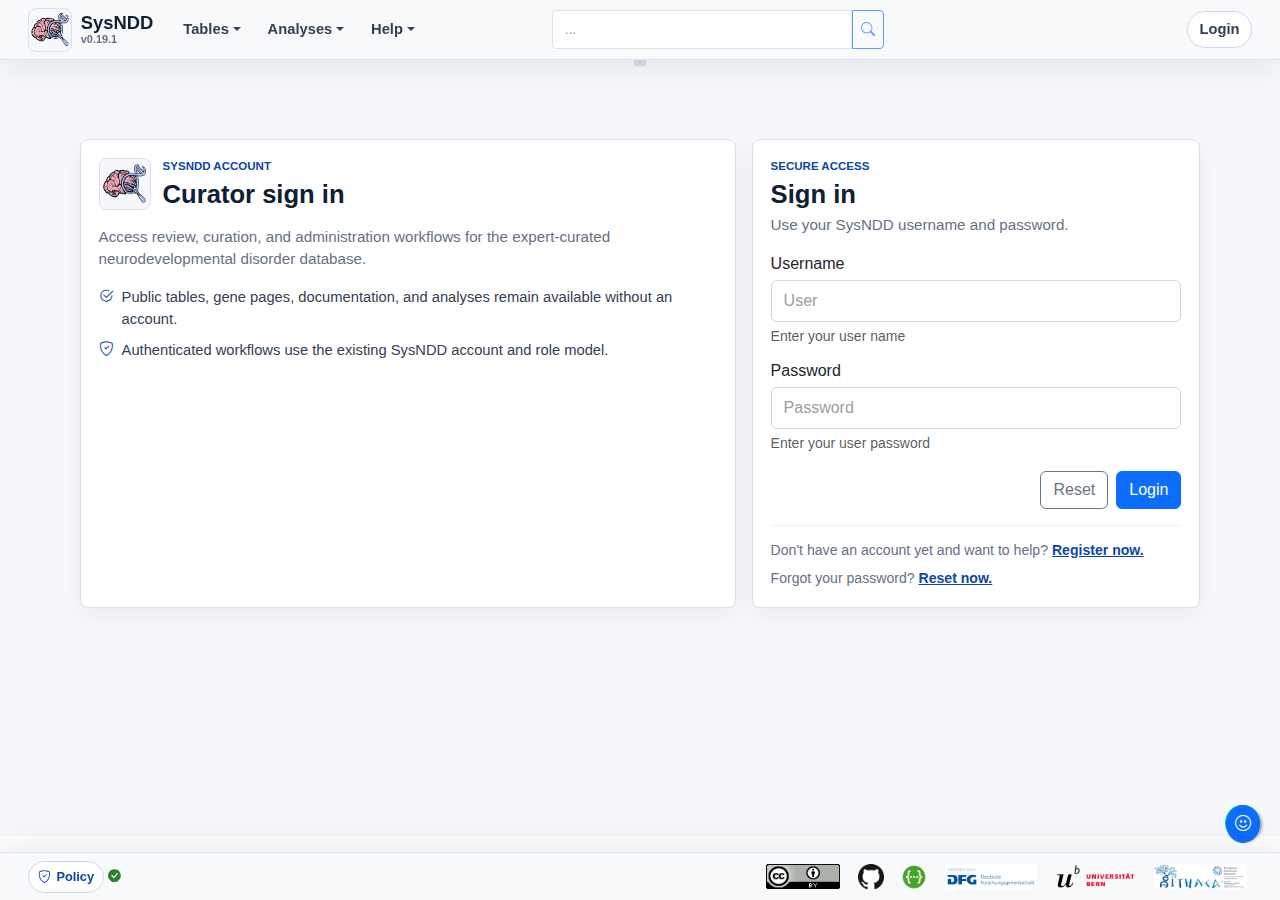
After successful login, you will be redirected to the start page and the navigation bar will show new links depending on your account privileges:

Your login token (JWT; JSON Web Token) is valid for 1 hour, after which you will be logged out. You can however always refresh the time by clicking the link in the user menu. The website will warn you at 5, 3 and 1 minutes before log out.
Review page
Click the “Review” link to your personal “Re-Review” site:

The “Re-Review” page is structured as a table enriched with information and controls.
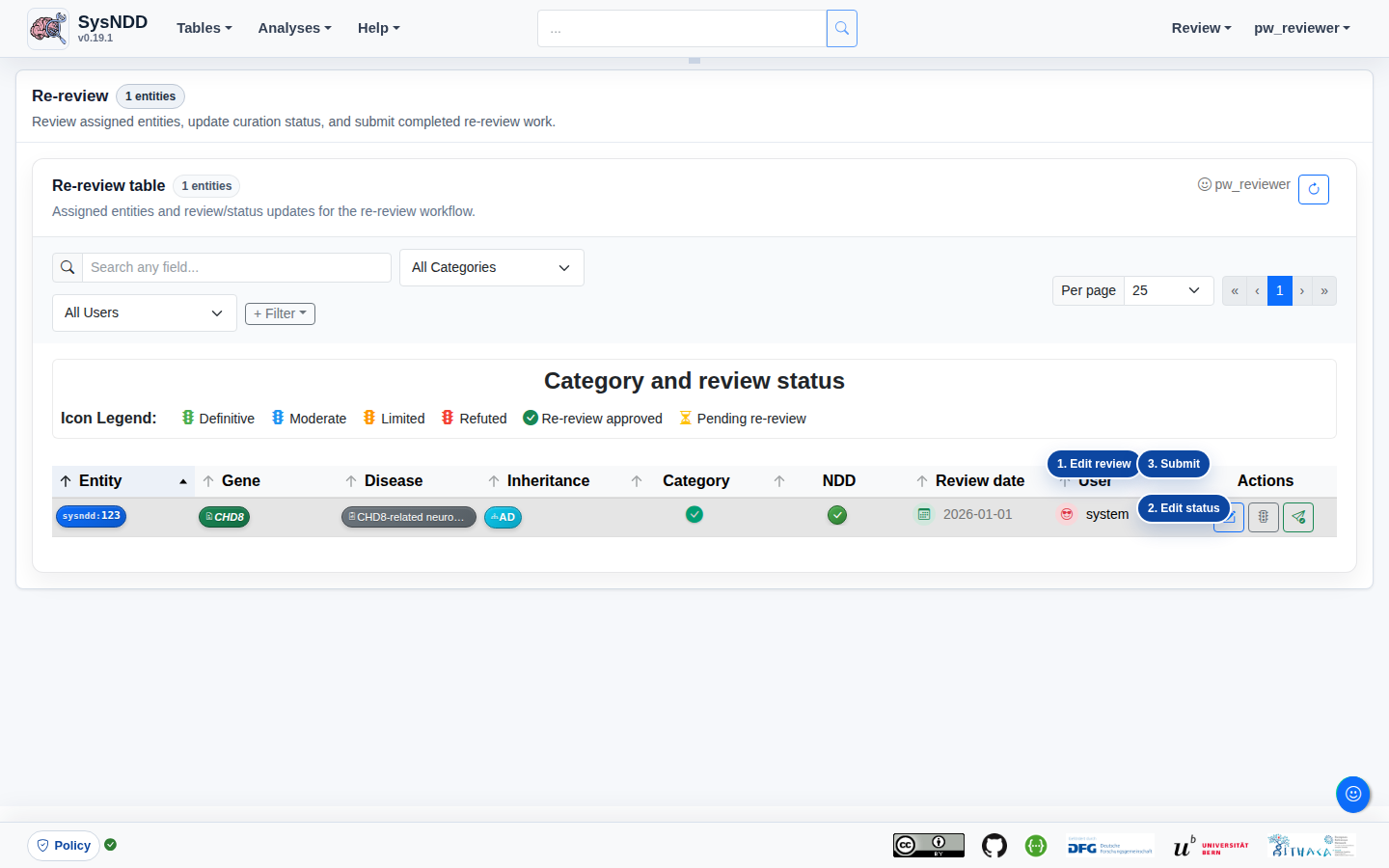
The page shows:
- the number of entities assigned to your account;
- account-specific controls, such as switching to Curator mode or applying for a new batch of entities;
- table filters and navigation controls;
- the assigned entity table; and
- action controls to review and change entity information.
The action buttons open three different windows for the assigned entity: (1) edit the entity review, (2) edit the status proposal, and (3) submit the finished re-review for curator approval.
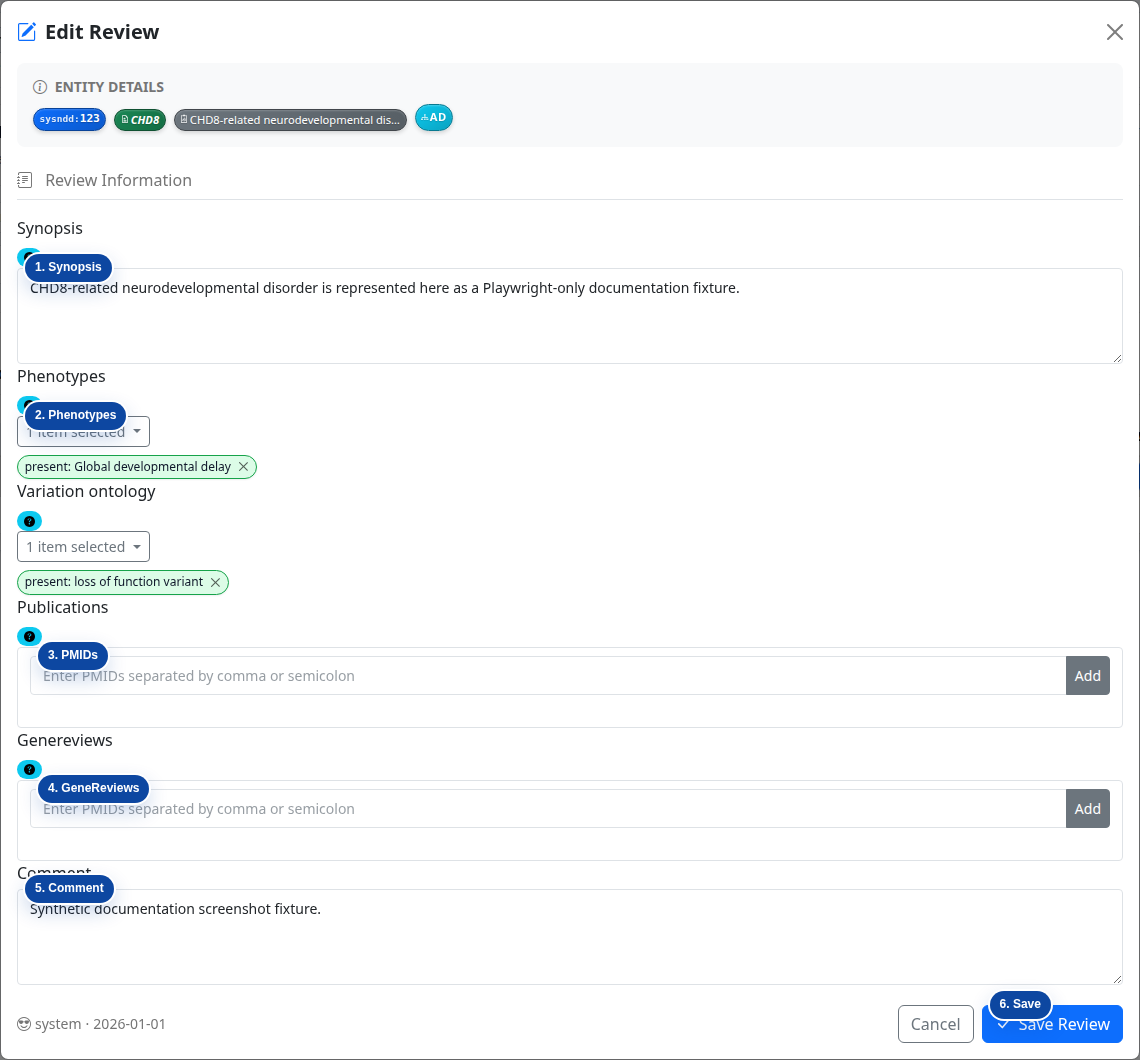
New Review edit
In this window you can:
- change, adapt, or completely rewrite the current synopsis (1);
- add or remove phenotype associations (2);
- add or remove publications from the review by PMID (3);
- add or edit fitting GeneReviews articles by PMID (4);
- add a comment for the curator who will later approve the entity changes (5); and
- save your review (6).
By clicking on the little question marks you can show help messages for each item:
These help instructions are:
Synopsis: Short summary for this disease entity. Please include information on: a) approximate number of patients described in literature, b) nature of reported variants, c) severity of intellectual disability, d) further phenotypic aspects (if possible with frequencies), and e) any valuable further information (e.g. genotype-phenotype correlations).
Examples:
de novo truncating or missense variants in > 20 individuals: variable ID (mild to severe), 50% short stature and microcephaly, 30% seizures, non-specific facial dysmorphism, variable cardiac and renal anomalies in some
bi-allelic truncating variants in 7 individuals from 3 families: severe ID, microcephaly, seizures in 3/7, MRI anomalies
Variant ontology curation
This variant ontology curation guidance standardizes the molecular consequence or mechanism already supported by the source text so that variants can be compared across entities and analyses.
Use a source-based workflow:
- read the publication, GeneReviews chapter, OMIM entry, or other accepted source text;
- identify the variant class or mechanism explicitly supported by that source;
- select the closest existing SysNDD variation ontology term;
- prefer a more specific existing term only when the source is explicit;
- use broader wording or a curator comment when sources are heterogeneous or ambiguous;
- do not infer a mechanism beyond the source text.
Examples:
- recurrent missense variants with an explicitly reported gain-of-function mechanism can be captured with the matching existing mechanism or effect term if present;
- truncating variants reported as causing loss of function can be captured with the matching existing loss-of-function or truncating concept if present;
- mixed missense and truncating reports without a proven common mechanism should be described conservatively in the synopsis or comment rather than forced into an over-specific ontology assignment.
The authoritative term list is the existing SysNDD variation ontology list, with VariO and OLS as external references. This documentation does not add or rename terms.
Phenotypes: Add or remove associated phenotypes. Only phenotypes that occur in 20% or more of affected individuals should be included. Please also include information on severity of ID where available and applicable.
Publications: No complete catalog of entity-related literature required! If information in the clinical synopsis is not only based on OMIM entries, please include PMID of the article(s) used as a source for the clinical synopsis.
GeneReviews: Please add PMID for GeneReview article if available for this entity.
Finding the PMID for a GeneReviews article
GeneReviews chapters are hosted in NCBI Bookshelf and may have chapter-specific PubMed records. Use the chapter-specific PMID when one exists. Do not substitute the general GeneReviews collection PMID for a chapter-specific citation.
Two practical lookup workflows are available:
- From GeneReviews or NCBI Bookshelf, open the chapter and check the citation or metadata area near the chapter title or footer. Record the PubMed PMID when it is shown.
- From PubMed, search the condition name plus
GeneReviews, open the matching chapter record, and copy the PMID from that PubMed record.
If no chapter-specific PMID can be found, note this in the review comment instead of forcing an unrelated PMID.
Comment: Additionally add information about your review potentially helpful to the curator approving the entity later.
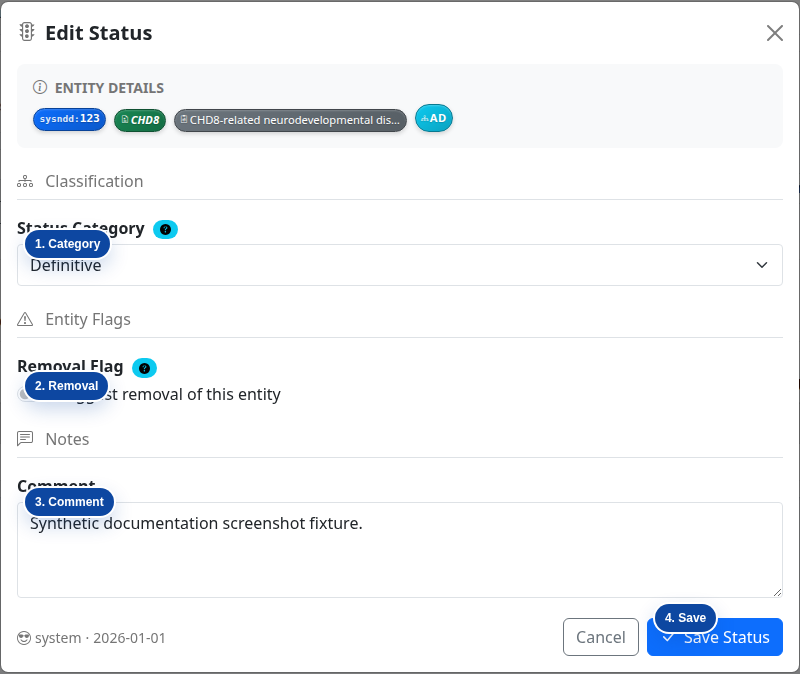
New Status edit
In this window you can propose
- to change the entity’s association confidence category (1),
- suggest its overall removal (2),
- add a comment for your change suggestions for the curators to better understand the proposal (3) and
- save your work (4):
Submit Re-review
The last action window is just to confirm that you are satisfied with your work and would like to submit it for curation:
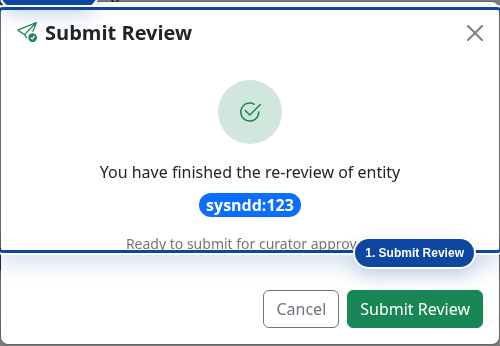
After clicking this button, the entity disappears from your list. You can then proceed with the remaining entries until no entity is left in your list.
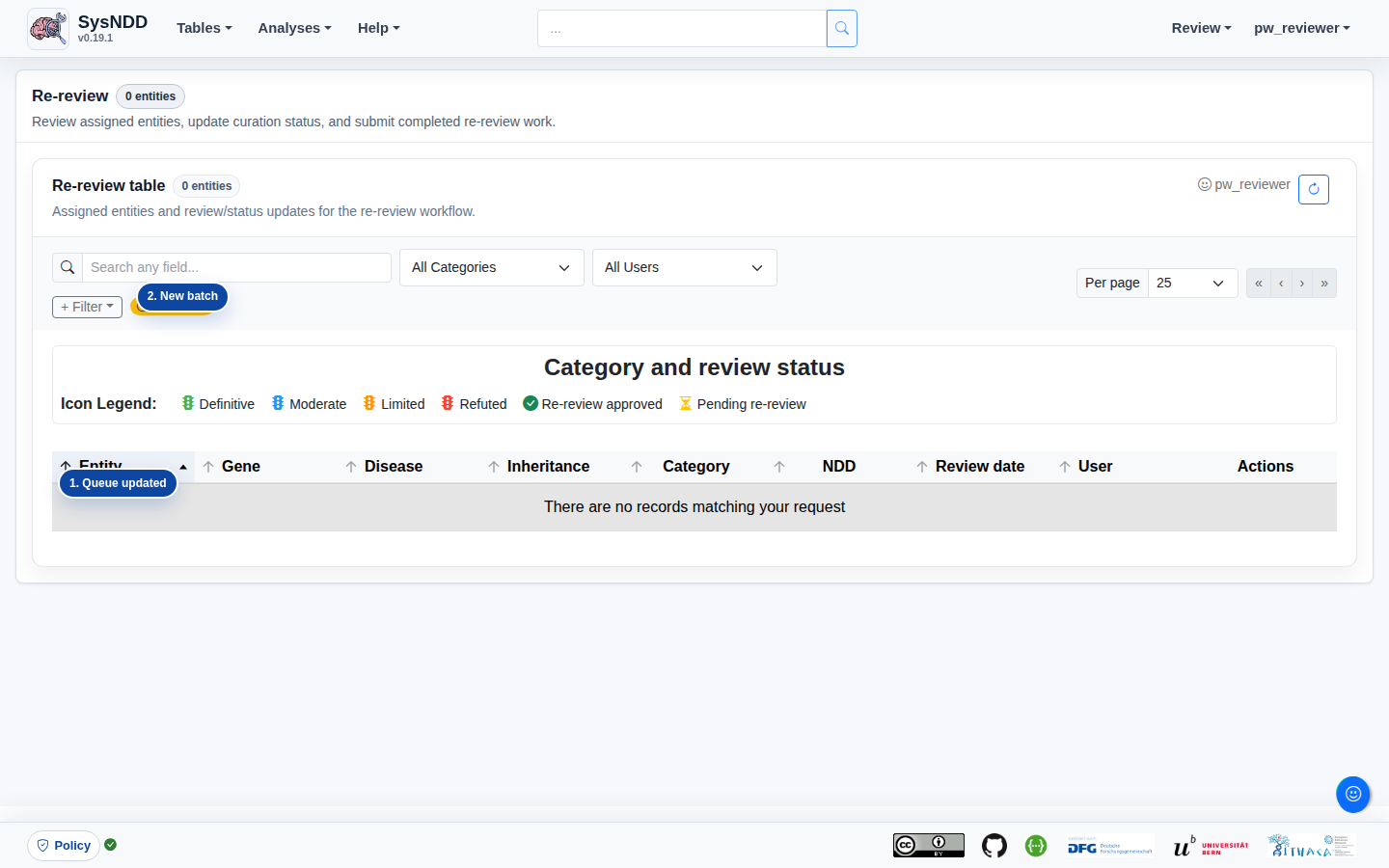
Refusing a re-review (needs specialist)
Some entries are too complex or fall outside your area of expertise. Instead of forcing a review, you can decline / refuse the entry so it is flagged for specialist or curator attention. Use the flag button (Refuse / decline (needs specialist)) in the action column of your re-review queue.
A confirmation window lets you add an optional short reason (for example, “complex inheritance / outside my expertise”). After you confirm:
- the entry leaves your active queue, so you can continue with the rest of your batch; and
- it is recorded as refused — a distinct state that is neither “approved” nor “rejected” and that does not change the curated SysNDD classification.
Refusing is reversible by a curator (see below); if you refuse an entry by mistake, ask a curator to return it to the queue.
7.2 Re-review curation
Handling refused entries
The “Manage Re-review” page shows a Refused / needs specialist panel listing every entry a re-reviewer declined, together with the optional reason, who refused it, and when. From there a curator can reassign the entry to a specialist or click Return to queue to clear the refusal so the entry re-enters the normal re-review flow. Clearing a refusal does not change any curated status or review.
Definitive association status
- Check if category 1 (“Definitive”) is correct or shift status to category 2 (“Moderate”) or 3 (“Limited”), where appropriate
- Check and revise gene-related entities regarding diseases/inheritance patterns (ID and non-ID disorders) –> non-ID disorders will not go into any of the categories but will be tagged with “n.a.” (not applicable)
- Check and revise associated phenotypes: select HPO terms from the list, only use HPO term if this specific aspect is present in approximately >= 20% of patients. Please also check and revise severity of ID using HPO terms. If ID is very variable, select all appropriate ID terms (e.g. severe, moderate, mild, borderline)
- Check references (OMIM, PMID, GeneReviews). References do not have to be complete but should be sufficient to give a good impression on the mutational and clinical spectrum. Add references where it would add to the picture.
- Check and revise clinical synopsis: it does not have to contain everything that is known but should give a short and comprehensive picture on:
- which data the gene and disease category were chosen on and
- the molecular and clinical picture.
Please include information on:
- approximate number of patients described in literature,
- nature of reported variants,
- severity of intellectual disability,
- further phenotypic aspects (if possible with frequencies),
- any valuable further information (e.g. genotype-phenotype correlations)
Examples:
de novo truncating or missense variants in > 20 individuals: variable ID (mild to severe), 50% short stature and microcephaly, 30% seizures, non-specific facial dysmorphism, variable cardiac and renal anomalies in some
bi-allelic truncating variants in 7 individuals from 3 families: severe ID, microcephaly, seizures in 3/7, MRI anomalies
Moderate and Limited association status
- Check if inclusion criteria for candidate genes are still fulfilled or if it should be deleted from the list (“Refuted”)
- Check if candidate status is still correct and sort it into Category 2 (“Moderate”) and 3 (“Limited”) (or reclassify to 1 (“Definitive”), if applicable)
- Check, if associated phenotype still fits
- Check, if references are correct, if there is any new published information and modify clinical synopsis where appropriate
- Clinical synopsis can be very short for candidate genes
- no associated phenotypes (HPO terms) and frequencies are needed for candidate genes, but could be helpful
Examples:
de novo missense variants in 2 individuals: autism, ID in 50%
bi-allelic missense variant in 2 affected individuals from 1 family: moderate ID, MRI anomalies
Refuted association status
- Check if there is current evidence against this gene association (e.g. few truncating variants described in old publications before gnomAD constrain scores and the gene now has a pLI of 0; genes reported in a family with later report of another cause etc.)